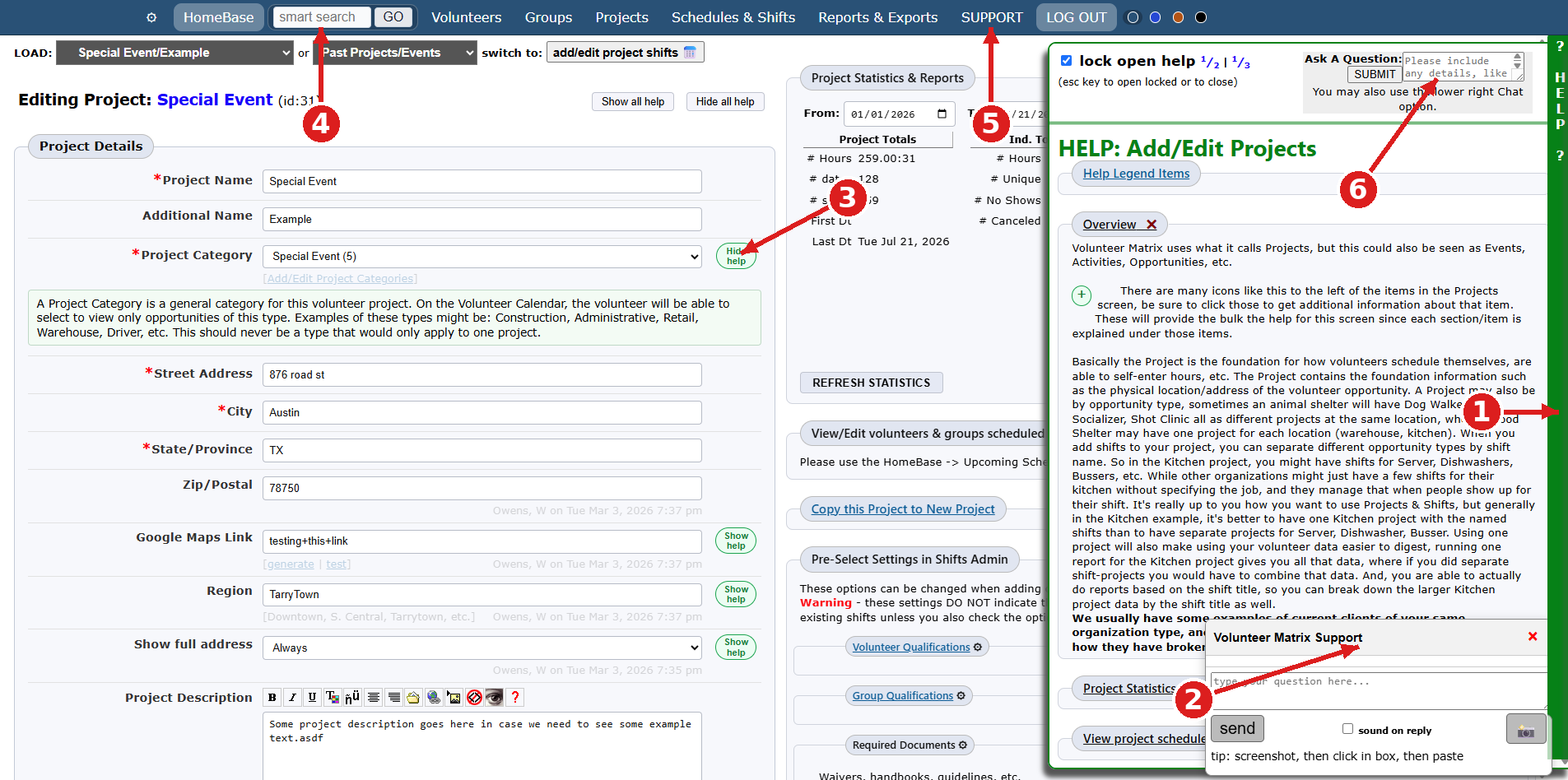
Help where you need it: in-app tips, screen-specific help, and fast responses. Six different built-in ways to get help in Volunteer Matrix (plus some others):
Help drawer — click the green vertical HELP bar to open the slideout panel to display additional info & help directly pertaining to the current screen. (so no 500 page PDF to keyword search and hope for the best)
Live chat — chat window in the lower right connects to support directly with US based support and extended hours.
Form field/Data point -level help — green "Show help" / "Hide help" buttons expand info for that specific form field.
Smart Search — search names, groups, or system configuration from the top nav. Results give direct links to the location of each matching item to edit.
Support page — full help center via the SUPPORT nav item.
Phone Number — yes, a real phone number that we answer (go figure!)
Support email address — typical response time 15-30 minutes, always less than 24 hours.
Multiple visual flow charts for how Volunteer Matrix features function. Who doesn't love a good flow chart?
Links to guides on managing volunteers in general, and on specific Volunteer Matrix features.
Via screen sharing training — schedule a support screen sharing anytime by choosing a date/time that works with your team's schedule.
Ask a question — submit a question with details from the top of the help slideout, 100% human responses. Typical response time 15-30 minutes. No bots, no AI, no algorithms.
Get help
Use chat, email, or phone support. If you’re in your system, look for contextual help that matches the screen you’re viewing.
Chat support during business hours.
Email support for detailed questions and follow-up.
Screen sharing sessions when troubleshooting is faster live.